SaveFBS: Facebook Video and Reels Downloader Online Free
Use our Save Fbs Downloader to save Facebook reels, videos, and stories in HD quality
without any watermark or login.
Savefbs, Best Facebook Video Downloader
Have you ever found any interesting videos of crafts or cars and tried to save them? But, just then, you realized there is no video download button on Facebook.
In this situation, SaveFBS will help you solve your problem. It is a free online Facebook video downloader that lets you save anything you want. For example, you can save reels, stories, watch videos, live streams, and even private clips.
However, the steps to use this tool are super easy; you only have to copy the link and paste it into the box to download. Additionally, this Video Downloader allows you to save content from other platforms like TikTok and Instagram.
In this guide, we will explore how this downloader works, quick steps to use it, and more. So keep reading!
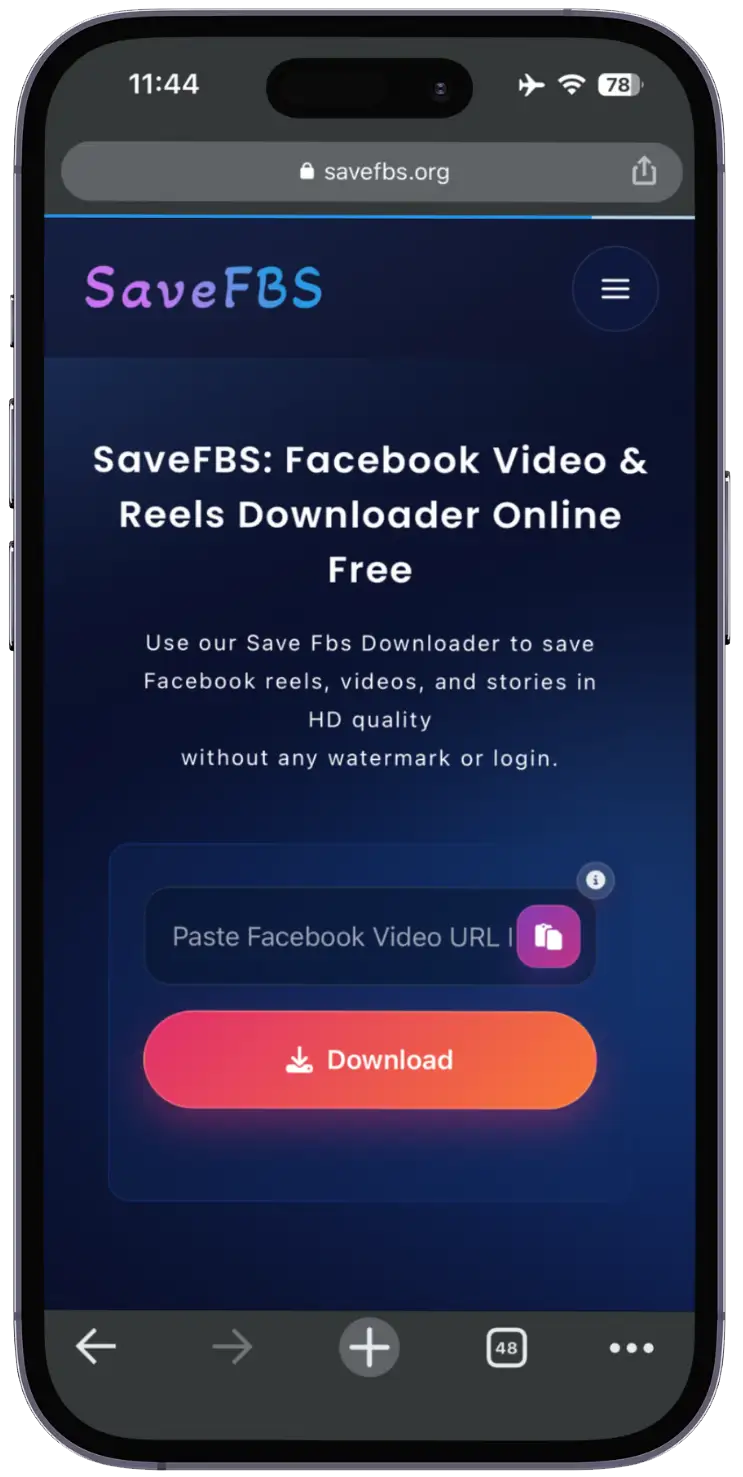
What is Savefbs?

As we have discussed above, SaveFBS is a free Facebook downloader tool. Using it, you can download any type of video from Facebook directly to your device. This smart tool also removes the need for third-party watermark removal tools.
This is because it saves videos without a watermark or other signs. It is easy, fast, and secure to use. Its three simple working steps make it easy to use for everyone.
Download Any Facebook Videos Using SaveFBS
SaveFBS allows you to save all types of content formats from Facebook. Here is what you can
download by using this free video downloader:

Facebook Video Downloader
Do you want to save documentaries, movies, or other long-form videos in SD or HD quality? If yes! Then you must use the free Facebook video downloader. It will save videos without a watermark.

Facebook Reels Downloader
By using the Facebook Reels downloader, you can save trending Reels in Full HD 1080p with original audio. Reels are saved as they are without editing or compression. So, they are perfect for repurposing or creating other content reels.

Facebook Story Downloader
All the stories and photos your friends share disappear after 24 hours. SaveFBS software allows you to save them permanently.

Facebook Video to MP3 Downloader
You can also extract audio from Facebook videos and save them in MP3 format. This feature is best for saving music clips or motivational speeches.

Facebook Live Stream Downloader
The SaveFBS live stream downloader allows you to save any important podcast, so that you never miss it again

Facebook Photo Downloader
With Save fbs, you can download any photos from Facebook in high quality qulatity possible without any watermark
SaveFBS: All-in-One Downloader Tool
By using the SaveFBS all-in-one video downloader, you can save videos, reels, or stories from any platform you want. The other downloaders that allow you to save content from other platforms include:
How to Save Facebook Videos with SaveFBS?
The process to download any Facebook video will take less than 3 minutes. To help you save your favorite videos,
Three simple steps are given below:
Find Facebook Video URL
You should open your Facebook app from any device. Find the video and copy the URL, or you can click on the share button to copy the video link.
Visit SaveFBS Downloader
You should open your browser and search for the Save FBS website. Next, open your official website to download videos, reels, or other content.
Paste link & download the video
Next, paste the video URL in the given box and click on the download button. After you select the video quality and format from the tool, such as SD, HD, MP3, and others, you should download the video.
Why Use SaveFBS to Download Facebook Videos?
There are millions of users of our smart Save FBS video downloader tool. Here are the reasons
for such a huge number of audiences:

HD & 4K Quality Download
This video downloader will help you save the video in the same bitrate as it was posted originally. So, if the video is in HD quality, you will get the same resolution. There will be no compression or effect on video quality.

No Registration Needed
Another best feature of Save FBS is that it does not need any registration. So, to save your favorite videos, reels, or stories, you just need to open this tool, paste the link, and download.

No Installation
Unlike other downloading tools that require installation, Save FBS is different. You do not need to install any app or software on your Android, iOS, or other devices. It works directly from the web browser.

Download Anonymously
Many users worry that the person may get a notification if we download their videos or reels, right? But the good news is that this Facebook video saver works anonymously. None of your friends will get notifications if you save their public videos.

Works on All Devices
The feature that makes this tool unique from others is that it works on all devices. You can easily use it on Android, iOS, Windows, and Mac. This is because it is a browser-based tool that works from your search browser instead of being installed.

Free to Use
You don’t have to break your bank to use the FBS downloader. It allows you to save one or a hundred videos free of cost. So, you can save your money and spend it on other good items.

Fast and Secure
It is fast and secure. You can download videos of any length within seconds by using the Save FBS saver. Additionally, it also has an SSL certificate and a smart encryption system.

Multiple Language Support
To help people across the world, we designed our tool to save content in all languages. Moreover, you can also select the website language in your preferred language to use it easily. This user-friendly feature makes it easy to use for everyone.

Private Video Downloading
You can also save videos, reels, stories, and shorts from personal profiles securely. You can edit these videos and use them for promotional purposes.
Exploring FBS Saver Device Compatibility
You will be happy to know that this Facebook downloader tool works on all devices. This is because it is a browser-based tool that you can open from any web browser without any installation.
You can open it on the following devices easily:
iPhone or iPad
You can easily use it on Chrome, Safari, and Firefox on iPhone and iPad.
Android Mobile devices
It works smoothly on Chrome, Samsung Internet, and all major mobile browsers.
Windows PC
You can also use this saver tool on Windows, as it is compatible with Chrome, Edge, and Firefox.
Mac System
The iOS and Mac systems are the same, which is why it also helps to download content from Facebook on the Mac system.
Tablet
It is designed to be used on tablets, in both portrait and landscape use.
SaveFBS vs Other Facebook Downloader Tools Comparison
A quick comparison of Save FBS with other Facebook video downloaders is given below. With this quick comparison, you can know why choosing our Facebook video downloader is a smart option.
| Feature | SaveFBS | Other Tools (SnapSave, FDown, SaveFrom) |
| Ease of Use | Very simple (copy–paste–download) | Simple but sometimes extra steps |
| Quality Options | HD, SD, MP3 | HD/SD |
| Registration | No login required | Usually no login, but some ask for extensions |
| Ads & Pop-ups | Clean, no ads experience | Fast (a few seconds download) |
| Supported Content | Reels, Stories, live, private clips | Mostly public videos (limited features) |
| Device Compatibility | Works on all devices | Works on most devices |
| Speed | Fast (few seconds download) | Varies by tool |
Trusted By Millions of Users Worldwide
Listen to what our users are saying about our tool.
Daniel Carter.
I was surprised by the fast downloading speed of this tool. It helps me to save my favorite videos in seconds.”
Emma Wilson
Honestly, it’s so simple to use and just works without any issues. And the best part, it contains no ads.”
Frequently Asked Questions
Ready to Save Your First Video from Facebook? You Must Save FBS Online!
It is a simple and clean video saver tool for Facebook, which everyone can use to download their favorite content. And the good thing is, it does not need an account login, any subscription fees, or complex installation. You just have to open it from a browser, paste the link, and download videos.